Audio tool
Change Audio Speed Online - Free Tempo Changer
Slow down or speed up audio without the chipmunk effect. Choose a tempo preset or fine-tune with the slider, preview, then export the result.
Speed is not the same as pitch
A simple playback-rate change makes audio faster and raises pitch, or slows audio and lowers pitch. Audio Lab uses pitch-preserving tempo processing so speech and instruments remain closer to their original tone.
The first preview can take a moment on long files because the browser has to process a new temporary buffer for the selected speed. Read more in How to change audio speed while keeping pitch.
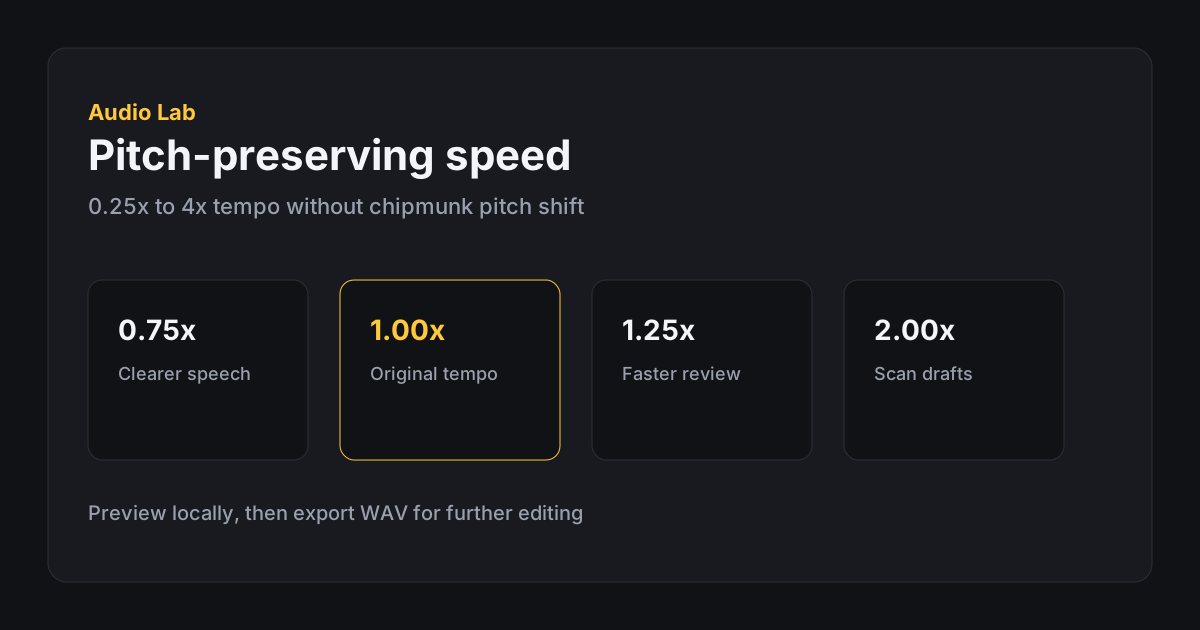
Practical speed values
For speech review, try 0.75x or 0.9x when someone talks quickly, and 1.15x to 1.25x when you want faster review of familiar material. Values like 2x are useful for scanning drafts, but they can make names and numbers harder to catch.
If you mainly want faster podcast listening, see Speed up podcasts without chipmunk voice. If the file is long because of silence, trim first instead of speeding everything up.
- 1. Load audio Open Change Speed and import the file you want to process.
- 2. Pick a preset Start near your target, then fine-tune with the slider.
- 3. Wait for preview Long files need a moment of local processing before playback.
- 4. Quality check Listen to consonants, breaths, and dense passages for artifacts.
- 5. Export Download the tempo-changed file. Duration shortens or lengthens with speed.
Limitations and tips
The speed tool applies to the full loaded file. If you only need one section processed, trim and export that section first, then load the shorter clip here. Very large tempo changes can introduce artifacts in dense music.
Keep an uncompressed WAV when the result will go into another editor. See Common audio export mistakes before re-encoding repeatedly.
- Prefer small tempo moves when intelligibility matters.
- Trim silence before speeding up a long recording.
- Preview beginning, middle, and end after processing.
- Export WAV if you will edit again later.
FAQ
Frequently asked questions
Does changing speed affect pitch?
No. Speed changes use pitch-preserving processing so voices and instruments stay natural.
What speed range is supported?
From 0.25x to 4x, with presets for common values.
Why does the first preview take a moment?
Pitch-preserving speed processing runs locally in your browser and may take a few seconds on longer files.
Can I change speed for only part of a file?
Not in one pass. Trim the section first, export it, then process that shorter clip.
Will 2x always sound good?
Not always. Extreme tempo changes can introduce artifacts, especially in dense music or noisy recordings.
Does faster audio make a shorter file?
Yes. Faster speeds reduce duration; slower speeds increase duration.