Guide
How to Change Audio Speed Online While Keeping Pitch
Changing speed is useful for transcription, language practice, reviewing lectures, tightening drafts, and creating quick tempo variations. The key is understanding the difference between simple playback rate and pitch-preserving tempo changes.
Speed, tempo, and pitch are related but not identical
A basic playback-rate change makes a file faster by playing every sample sooner. That also raises pitch, which can make voices sound thin and unnatural. Slowing the same way lowers pitch and can make speech sound heavy. This can be fun for effects, but it is not ideal when you want the original voice or instrument tone to remain recognizable.
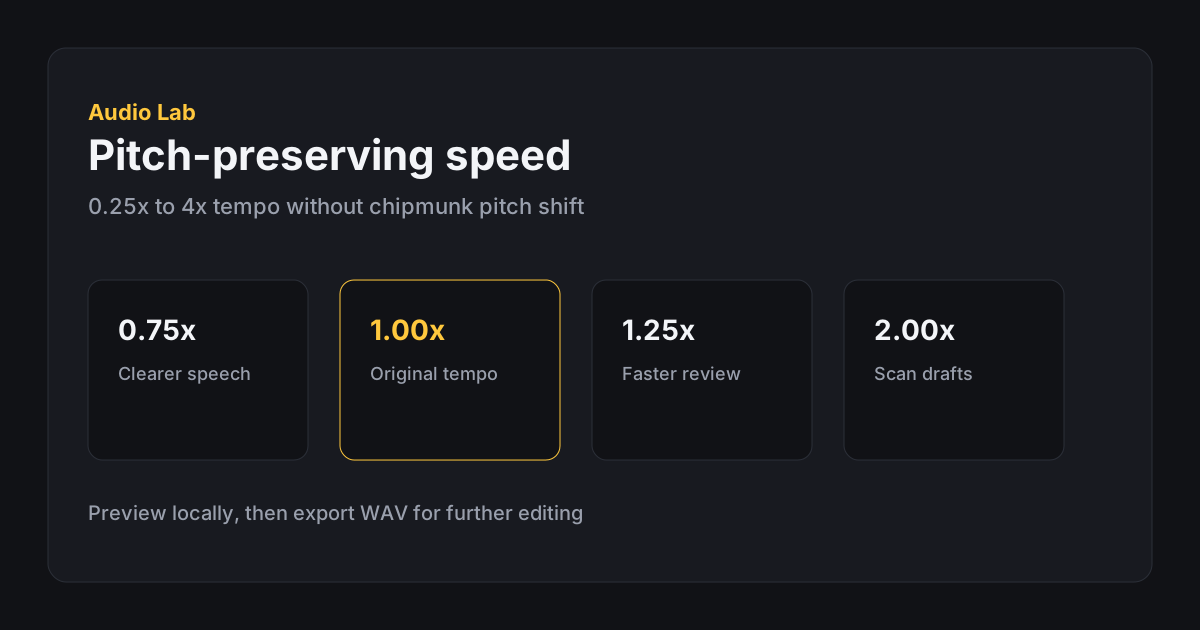
Audio Lab's Change Speed tool uses tempo processing designed to preserve pitch. The file becomes shorter or longer, but voices and instruments stay closer to their original pitch than they would with naive resampling.
Choosing a useful speed value
For speech review, small changes are usually better than extreme ones. Try 0.75x when a speaker is too fast, 0.9x when you need only a little more clarity, or 1.25x when you want to review familiar material more quickly. Values like 2x or 3x can be useful for scanning, but they often make detailed listening harder.
For music or sound design, tempo changes are more subjective. Slowing a drum loop can reveal groove details, while speeding a draft can test whether a cue still works at a faster pace. Because tempo processing has to estimate and rebuild timing, very large changes may create artifacts, especially in dense music.
Step-by-step speed workflow
Open the speed tool, load a file, then start with a preset near your target. Preview before exporting. If the first preview takes a moment, that is expected: the browser is processing a temporary pitch-preserved version locally.
Move in small increments when quality matters. A change from 1.00x to 1.15x can sound natural for speech, while jumping straight to 2.00x changes pacing dramatically. After choosing the value, listen to the beginning, middle, and end of the file because artifacts are not always evenly distributed.
When you export, the duration changes according to the speed. Faster audio creates a shorter output file; slower audio creates a longer one. The status area shows the final output duration before export.
Podcast and lecture use cases
Students and podcast listeners often want 1.15x to 1.5x for familiar speakers. Transcription work usually benefits from slower values such as 0.75x to 0.9x. If chipmunk pitch is the problem you are trying to avoid, stay with Audio Lab's pitch-preserving processing instead of simple playback-rate tricks.
For a dedicated listening workflow, see Speed up podcasts without chipmunk voice. If the recording is long mainly because of silence, trim first with Cut silence from voice memos.
- Prefer modest tempo changes when intelligibility matters.
- Preview dense passages after processing.
- Trim silence before speeding up long files.
- Export WAV when the result will be edited again.
When speed changes are the wrong tool
If the recording is simply too long because it includes silence or unrelated sections, trim it first instead of speeding everything up. If the recording is hard to hear, use volume before changing speed. If you need professional time-stretching for music production, a full audio workstation may give you more algorithms and quality controls.
For everyday browser edits, the best result usually comes from a modest tempo change, a listening pass, and an export format that fits the next use of the file.
Quality checks before exporting
Listen to consonants, cymbals, breaths, and reverb tails after changing speed. These details reveal processing artifacts sooner than steady tones do. If a value sounds rough, move closer to 1.00x and test again.
For spoken material, check whether the result is actually easier to understand. A faster file may save time, but it can also make names, numbers, and quiet words harder to catch. A slower file can help transcription, but too much slowdown may make the rhythm feel unnatural.
FAQ
Frequently asked questions
Will the voice sound higher when I speed it up?
The speed tool is designed to preserve pitch, so voices should not jump upward the way they would with simple playback-rate changes.
Why does processing take longer on some files?
Long files and large speed changes require more browser-side processing before preview and export.
Can I change speed for only part of a file?
The current speed tool applies to the full loaded file. Trim a section first if you only need to process one part.