Guide
Common Audio Export Mistakes
Most disappointing exports are not mysterious codec failures—they are process mistakes. This guide catalogs the errors that show up again and again after trimming, volume changes, speed adjustments, and reverses, plus habits that prevent them in Audio Lab.
Mistake 1: Treating every export as final
People often export a compressed share file, notice a bad cut, reopen that compressed file, fix the cut, and compress again. Each lossy generation can add artifacts. Keep a WAV working master from Audio Lab, and create delivery compressions from that master only once.
If your browser offers multiple export options, ask whether the file will be edited again. If yes, choose WAV or AIFF. If no, a compressed option may be appropriate when available. The decision framework in MP3 vs WAV vs M4A and the broader audio formats guide will save you remakes.
Name working files and finals differently. project-quote-master.wav and project-quote-email.m4a make the roles obvious under pressure.
If a collaborator asks for “just send the MP3,” clarify whether they need a listening copy or an editing copy. Many disputes about quality start as mismatched expectations about which generation of the file someone opened.
Mistake 2: Exporting before listening to the edges
The middle of a clip can sound perfect while the first 50 milliseconds click or the last word is chopped. Always preview the start, a characteristic middle section, and the end before exporting. In Trim Audio, that means listening across handles, not only trusting the waveform thumbnail.
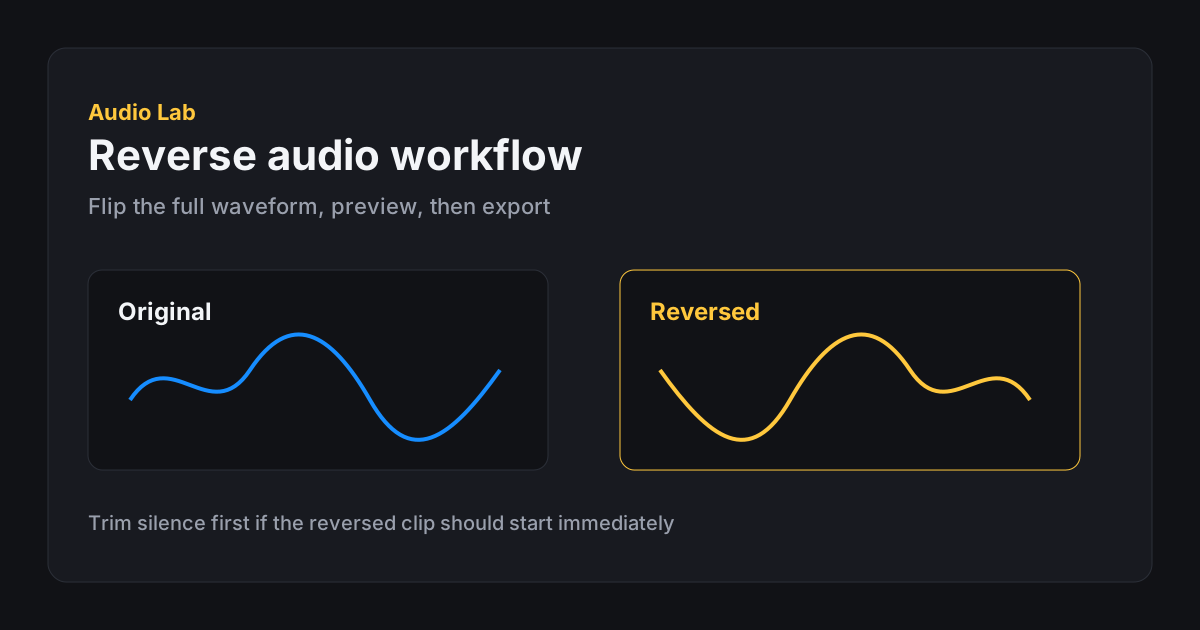
After volume changes in Change Volume, preview peaks specifically. After Change Speed, preview consonants and music beds. After Reverse Audio, preview the new beginning—the old ending—because silence or fades may now open the file awkwardly.
If you only have time for one habit, make it edge listening. It catches a huge percentage of “why does this sound wrong in the other app?” reports.
Build a thirty-second ritual: start, loudest moment, end, then export. Rituals sound boring until they prevent a client from hearing a click you never checked because you were late.
Mistake 3: Clipping, then blaming the format
A harsh export is sometimes just a clipped render. If peaks were slammed in the volume tool, WAV will faithfully preserve the distortion. Switching to another format will not restore rounded peaks. Fix gain first using the approach in how to increase audio volume, then export.
Normalize is not a guarantee of pleasant loudness; it is a peak-target tool. A normalized file can still sound thin, noisy, or uneven. Do not chase “max loud” if intelligibility suffers.
Phone speakers and laptop speakers lie in different ways. Spot-check on more than one output path when the file matters.
Another related mistake is confusing loudness with clarity. Boosting a muffled laptop mic does not restore missing consonants; it only makes the muffling more present. Sometimes the correct export is an honest “we need a re-record,” not a hotter bounce of a weak capture.
Mistake 4: Ignoring destination requirements
Video editors, LMS platforms, phone ringtone converters, and social apps each prefer different formats, lengths, and loudness ranges. Exporting a giant stereo WAV into an email gate, or a tiny low-quality clip into a cinema-grade timeline, creates avoidable friction.
For TikTok and Reels prep, length and clarity usually matter more than exotic formats—see prepare audio for TikTok and Reels. For archival client handoff, WAV remains the safer default.
If a platform rejects a file, read the rejection reason before re-encoding blindly. Wrong sample rates, missing audio tracks in video containers, or duration limits are common; random bitrate changes rarely fix the real issue.
- Write down the destination Email, DAW, phone, LMS, or social—each implies different constraints.
- Export a master Create a WAV (or AIFF) that captures the approved edit.
- Make one delivery derivative Convert once to the needed share format from the master.
- Verify in the target app Import or upload a test before you delete intermediates you might need.
Mistake 5: Overwriting or losing the source
Browser editors download new files; they should not silently replace your original. Still, users sometimes delete the source to “clean up downloads” and keep only a questionable compressed bounce. Keep the original until you are sure the derivative is correct—and longer if the recording cannot be recaptured.
Session loss is another trap. If you refresh before exporting, in-browser edits disappear. Export when the preview sounds right. Local processing is fast, not magical autosave. Related expectations are covered in browser audio editor privacy.
On shared machines, remember that exports land in Downloads. Clean up sensitive derivatives after you move them to a secure location.
Mistake 6: One tool doing every job in the wrong order
A reliable order for many jobs: trim content → fix edge clicks/fades → adjust speed if needed → adjust volume → export master → create delivery copy. Speeding before trimming forces the processor to work on dead air. Boosting before trimming amplifies silence and noise you might delete. Reversing before trimming makes it harder to find the region you wanted.
Audio Lab’s single-operation tools encourage this clarity. Use each tool for its job, exporting intermediates when the chain is long. The FAQ is a quick reference when you are unsure which tool comes next.
Mistake 7: Silent metadata and handoff confusion
Exports inherit none of the context in your head. If you email audio(3).wav with the subject “latest,” your future self will hate you. Include project name, version, and purpose in the filename. When relevant, mention sample rate assumptions or that the file is already sped to 1.25x for review only.
Handoffs fail when one person exports a mono speech clip and another expects stereo music stems, or when someone uploads a ringtone-length extract into a long-form transcript workflow. Write one sentence about intent with the file. The best export settings cannot compensate for a missing brief.
If you use cloud drives, avoid duplicate “final” objects that diverge. One master location, clear derivatives, and a habit of retiring superseded shares will prevent two teammates from polishing different wrong files in parallel.
- Working master exported as WAV/AIFF when further edits are likely
- Start, middle, and end previewed before download
- Peaks checked after volume changes
- Destination format/length requirements known
- Original source retained
- Delivery derivatives made once from the approved master
- Filenames describe role (master vs share)
FAQ
Frequently asked questions
Why does my audio sound worse after several exports?
You may be stacking lossy encodes. Keep a WAV master and create compressed share files only once from that master.
Why is my WAV export still distorted?
WAV preserves the samples you rendered. If the edit clipped, the WAV will include that clipping. Lower gain and export again.
Which export should I choose if I am unsure?
Choose WAV when quality and further editing matter. Create a smaller derivative later if you need easy sharing.
Why did my edit disappear after refresh?
Browser editing sessions are temporary until you export. Download the file when the preview is right.
Do I need different exports for different apps?
Often yes. Maintain one master and generate destination-specific copies rather than reopening compressed leftovers.
Where should I look if a platform rejects my file?
Check duration limits, format/codec requirements, and whether you uploaded the correct derivative—not only bitrate folklore.